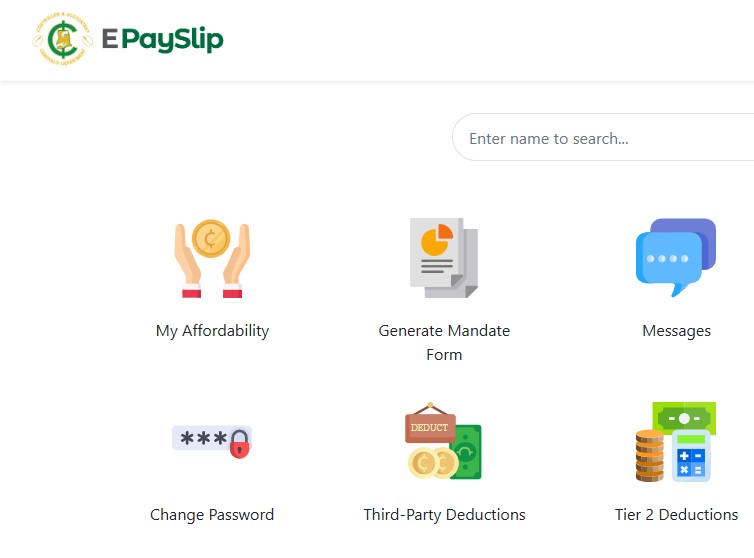

The Controller and Accountant-General’s Department (CAGD) officially rolled out the upgraded Government of Ghana (GoG) e-Pay Slip System in February 2026. This new portal is now fully functional for most public sector workers, replacing the older system with improved security and a cleaner interface. You can access your payslip at www.gogpayslip.com and generate mandates via the companion GoG E-Pay Services portal at gogepayservices.com.
Follow us on WhatsApp for more updates: CLICK HERE
Seekers Consult
Contact Us for Your Study Abroad Journey
We search for schools and check available scholarships for you
Contact: 0550414552 / 0362297079

Loan for government workers
Transcript Application
English Proficiency
Recommendation letter
Project work/thesis for undergraduate, master’s, and PhD students.
Apply for Affidavit, Gazette instantly
Passport and Visa Applications
All other Internet Services
While the upgrade has made life easier in many ways, thousands of government workers (teachers, nurses, civil servants, etc.) are still facing real challenges with specific features. Here’s the latest practical update based on current user experiences and official developments.
Key Challenges Still Facing Users
- 2024 Payslips: You still cannot download 2024 payslips on the new portal. Historical data migration is incomplete.
- Change of Union/Association: This feature is missing on the new portal.
- Picture Change & Validation: Picture upload and validation are not working properly.
- Password Reset on the Old Portal: The reset function is broken on the legacy system.
- Loan Applications: This remains the biggest source of frustration. Many banks and financial institutions are rejecting applications because of integration issues.
How Mandate & PIN Generation Works (and the TPRS Step)
When you generate a mandate number on either portal:
- You get a Mandate Number.
- A PIN (one-time password) is sent to your registered phone via SMS.
- These two are automatically fed into the Third Party Referencing System (TPRS), where CAGD verifies your details with the Controller before the loan or deduction can proceed.
Important update: CAGD restored the TPRS in mid-February 2026, which should have fixed loan processing. However, many financial institutions are still encountering hiccups with mandates generated directly on the new portal.
The Proven Workaround That Saves Loans (Use Both Portals!)
Here’s what actually works right now (and what banks are quietly accepting):
- Log into the old/legacy epayslip portal (the one you used before the upgrade) and generate your Mandate Number + PIN.
- The old mandate and PIN are still fully accepted by banks and the TPRS.
- Immediately switch to the new portal (www.gogpayslip.com) to download your current payslip (the old portal cannot generate fresh payslips anymore).
Result: You now have a valid old mandate (accepted by TPRS/banks) + a current new payslip. This combination is what financial institutions are using to avoid rejections. Do not try to generate both mandate and payslip on the new portal alone — many loans are still being declined that way.
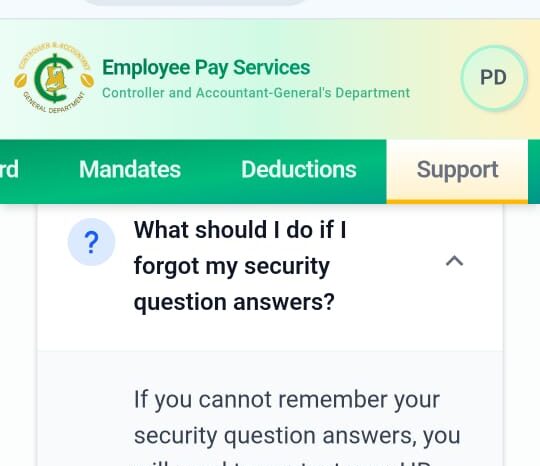
Reset Password – Don’t Get Locked Out
- If you try resetting your password too many times on the old portal, you will hit the daily limit.
- At that point, the only solution is to visit your CAGD district or regional officer in person with your staff ID and Ghana Card for a manual reset. Phone support cannot override the lock.
Change of Picture & Union – What to Do
- Picture validation is currently broken on the new system. Hold off on uploading a new photo until CAGD announces a fix.
- Union/association changes are not yet available on the new portal. Use the old portal if you still have access, or wait for the next update.
Quick Tips for Smooth Sailing
- Always use your Staff ID and Ghana Card during registration/verification on the new portals.
- Keep both old and new portal logins saved — you will need them together for loan applications until full integration is complete.
- Check the official CAGD Facebook page (@OFFICIALCAGD) and your union WhatsApp groups daily for fixes. The IT team is actively resolving issues.
The new system is a big step forward, but we’re clearly in a transition phase where using both portals is the smartest move. If your loan was recently rejected, try the old-mandate + new-payslip method — it’s working for most people right now.
Have you tried this workaround yet? Drop your experience in the comments or share this article with colleagues who are struggling with mandates and loans. Let’s keep each other updated!
Stay safe and keep pushing — CAGD is listening, and full stability is coming soon.
Follow us on WhatsApp for more updates: CLICK HERE
Seekers Consult
Contact Us for Your Study Abroad Journey
We search for schools and check available scholarships for you
Contact: 0550414552 / 0362297079
Loan for government workers
Transcript Application
English Proficiency
Recommendation letter
Project work/thesis for undergraduate, master’s, and PhD students.
Apply for Affidavit, Gazette instantly
Passport and Visa Applications
All other Internet Services
About The Author