
How to Check if Your Ghana Card is Linked to the CAGD Payroll System
This information is drawn from official CAGD communications and user support resources.
Follow us on WhatsApp for more updates: CLICK HERE
Seekers Consult
Contact Us for Your Study Abroad Journey
We search for schools and check available scholarships for you
Contact: 0550414552 / 0362297079

Loan for government workers
Transcript Application
English Proficiency
Recommendation letter
Project work/thesis for undergraduate, master’s, and PhD students.
Apply for Affidavit, Gazette instantly
Passport and Visa Applications
All other Internet Services
How to Check if Your Ghana Card is Linked to the CAGD Payroll System
- Dial 7119# on your mobile phone (works on any network).
- Select option 1: “Merge” (or the equivalent for linkage).
- Enter your SSNIT (Social Security and National Insurance Trust) number.
- Enter your Ghana Card number (the numeric section, e.g., XXXXXXXX-X, excluding the GHA prefix as it’s handled automatically).
- Submit and await confirmation. If linked, you’ll receive a success message via SMS or email. If not, the system will guide you through the merging process or indicate an error, prompting further action.
If the merge fails, it may be due to mismatched details proceed to the steps in the next section.
Method 2: Via the e-Payslip Portal
- Visit the official portal at gogepayservices.com (or the updated domain as per CAGD; some users report payservices.com).
- Attempt to log in or register using your NIA (Ghana Card) number as the primary identifier.
- If access is granted and you can view your payslip, your card is likely linked.
- If denied (e.g., error message about invalid details), your linkage is incomplete.
This method doubles as a practical test for portal access.
What to Do If Your Ghana Card Is Not Linked
If the check reveals issues, don’t panic follow these steps to update your details before the March 15 deadline:
- Gather Required Documents: Prepare a clear photocopy of your Ghana Card, your employee number (staff ID), SSNIT number, and a formal application letter requesting correction or insertion of your NIA number.
- Contact Your HR Department: Submit the documents to your institution’s Human Resources (HR) or Payroll section immediately. Provide specifics about any errors (e.g., mismatched personal details or transfer postings).
- HR Submission to CAGD: Your HR head will verify and forward the application to the nearest CAGD processing center or directly to the department for system updates.
- If You’re a New Employee or Pensioner: Register at any of the 16 regional or 276 district NIA offices to obtain your Ghana Card PIN, then submit it to HR for payroll inclusion.
- Follow Up: After submission, re-check using the USSD or portal method. If issues persist, contact CAGD support via their website (www.cagd.gov.gh) (www.cagd.gov.gh) or the helpline numbers provided in official notices.
Acting quickly is crucial, as unverified employees risk salary freezes until resolution.
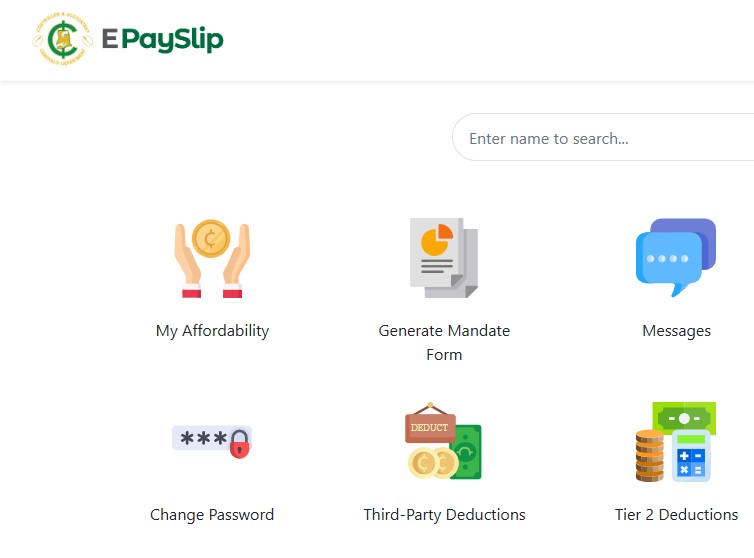
CAGD emphasizes that this integration enhances security and efficiency in payroll management.Navigating the New e-Payslip PortalThe upgraded Employee Pay Services portal (accessible at payservices.com or gogepayservices.com) is mobile-friendly, allowing access to payslips from smartphones, tablets, or computers with internet. It’s designed for easy viewing, downloading, and printing of official payslips, which can be used for loans, visas, and other purposes. However, first-time users must register, and access requires a linked Ghana Card.Registration Steps for New Users
- Go to the portal and click “REGISTER FOR E-PAYSLIP” or “Forgot Password” (for initial setup).
- Enter your employee number to begin.
- Provide your Ghana Card number for identity verification.
- Enter a valid phone number for OTP (One-Time Password) confirmation.
- Answer security questions and create a new password.
- Obtain a first-time registration code from your Head of Department if prompted.
- Follow on-screen instructions to log in thereafter.
Note: CAGD is not liable for financial losses from disclosing your details (e.g., passwords) to third parties. Always access from secure devices. Key Features
- View/Download Payslips: Log in to see monthly details; download as PDF for printing.
- Mobile Access: Fully responsive for on-the-go use.
- Support Sections: Includes Mandates, Deductions, and Support tabs for queries.
Follow us on WhatsApp for more updates: CLICK HERE
Seekers Consult
Contact Us for Your Study Abroad Journey
We search for schools and check available scholarships for you
Contact: 0550414552 / 0362297079
Loan for government workers
Transcript Application
English Proficiency
Recommendation letter
Project work/thesis for undergraduate, master’s, and PhD students.
Apply for Affidavit, Gazette instantly
Passport and Visa Applications
All other Internet Services
If you encounter issues like failed verification, refer to the FAQ below or visit https://www.cagd.gov.gh for more.Frequently Asked Questions (FAQ)Based on common queries from the CAGD support portal:
- Are the payslips on this portal official documents?
Yes, payslips downloaded from the Employee Pay Services portal are official documents issued by the Controller and Accountant-General’s Department and can be used for loan applications, visa purposes, and other official needs. - Can I access my payslips on my mobile phone?
Yes, the portal is mobile-friendly. You can log in using your smartphone or tablet browser to view and download your payslips anywhere, anytime. - The payslip information appears incorrect. What should I do?
If you notice discrepancies in your payslip (incorrect salary, deductions, or personal details), do not attempt to modify it. Contact your HR department or the payroll section immediately with the specific details of the error and the affected month. - Can I print my payslip from the portal?
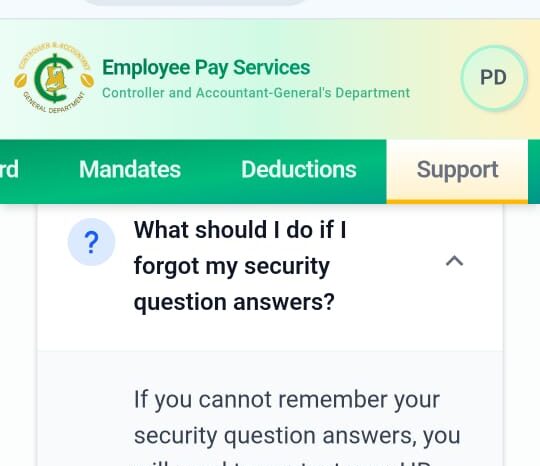
Yes, after viewing your payslip, you can download it as a PDF file and print it using any printer. The PDF format ensures the payslip maintains its official formatting and can be used for official purposes. - What should I do if I forgot my security question answers?
If you cannot remember your security question answers, contact your HR department or the CAGD IT Support team for account recovery assistance. Provide your employee number and valid identification. - I’m not receiving the OTP code for password reset. What should I do?
Verify that the phone number registered to your account is correct and active. Wait up to 2 minutes for the code. You can request a new code after the waiting period. If the problem continues, contact IT support to verify your registered phone number. - I forgot my password. How can I reset it?
Click “Forgot Password” on the login page. Verify your identity using your employee number, then answer your security question. After verification, you can create a new password. - My Ghana Card verification is failing. What could be wrong?
Ensure you enter your Ghana Card number exactly as it appears on your card. The GHA prefix is automatically handled, so only enter the numeric section (e.g., XXXXXXXX-X). Make sure your Ghana Card details match your employee records in the CAGD system. Contact HR if the issue persists. - Can I register if I don’t have a Ghana Card?
No, a valid Ghana Card is mandatory for registration as it is used to verify your identity. Please obtain your Ghana Card before attempting to register. - I’m not receiving the OTP verification code during registration. What should I do?
First, check that your phone number is correct and has network coverage. Wait up to 2 minutes for the code to arrive. If you still don’t receive it, click “Resend Code.” Ensure your phone is not blocking messages from unknown numbers. - What information do I need to complete registration?
You will need your Ghana Card number, employee number, and a valid phone number. Enter your employee number to begin the registration process. Follow the step-by-step instructions, which include Ghana Card verification, phone number confirmation, and setting up security questions. - How do I register for the Employee Pay Services portal?
To register, click the “Forgot Password” button on the login page. You will need your Ghana Card number, employee number, and a valid phone number. Enter your employee number to begin the registration process. Follow the step-by-step instructions, which include Ghana Card verification, phone number confirmation, and setting up security questions.
For additional support, reach out via the portal’s “Contact Us” section, email CAGD, or visit https://www.cagd.gov.gh. Stay proactive to avoid any disruptions verify your details today.
Follow us on WhatsApp for more updates: CLICK HERE
Seekers Consult
Contact Us for Your Study Abroad Journey
We search for schools and check available scholarships for you
Contact: 0550414552 / 0362297079
Loan for government workers
Transcript Application
English Proficiency
Recommendation letter
Project work/thesis for undergraduate, master’s, and PhD students.
Apply for Affidavit, Gazette instantly
Passport and Visa Applications
All other Internet Services
About The Author