
Public Sector Salary Point Jumps / Automatic Increment in Ghana: CAGD – When to Expect It, Why It Matters, and What to Do When It Stalls
By Seekers Consult 247 | April 2026
As a public sector worker in Ghana, your monthly payslip from the Controller and Accountant-General’s Department (CAGD) is more than just a payment notification it’s a reflection of your career progression on the Single Spine Salary Structure (SSSS). One key feature many government employees watch closely is the salary point jump (also called “point increment” or “automatic salary jump”).
If you’ve ever noticed your “current point” on the payslip not moving up as expected, you’re not alone. Thousands of teachers, nurses, civil servants, and other public workers face this issue every year. In this guide, we break down exactly what a salary point jump is, when you should expect it, why it’s important, and the practical steps to take when it stalls.
What Is a Public Sector Salary Point Jump (CAGD)?
Under the SSSS, every public sector job is placed on a salary scale with specific points. Your “point” determines your basic salary level. A point jump is the automatic (or due) upward movement to the next point on the scale.
This happens due to:
- Annual incremental credit (usually after 12 months of confirmed service)
- Promotion or grade change
- Scheme-of-service requirements
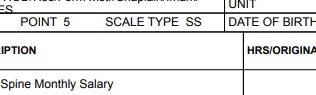
On your CAGD ePayslip, you’ll see your current point (e.g., Point 5) and sometimes the next expected point. When the system processes the jump correctly, your basic salary increases accordingly and so does your take-home pay.
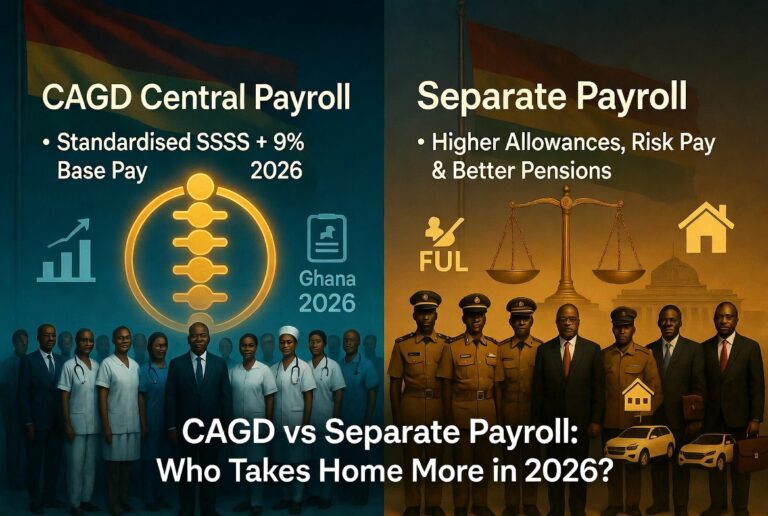
Note: This is different from the annual base-pay percentage increase (e.g., the 9% approved for all SSSS workers effective January 2026). The point jump is your personal progression within the structure.
When Should You Expect Your Salary Point to Jump?
The timing depends on your appointment or promotion date, but here’s the general rule in the Ghana public service:
- Annual Increment: Due after every 12 months of continuous service (from your confirmation date or last increment date). Many workers see this processed between January and March each year.
- Promotion/Grade Change: Processed within 1–3 months after your promotion letter is submitted to your institution’s IPPD (Integrated Personnel and Payroll Database) section.
- Mass Updates: CAGD and IPPD often run system-wide updates at the start of the fiscal year or after national headcount exercises.
In the upgraded GoG ePayslip system, the Automatic Salary Jump feature allows eligible workers to trigger or correct their point jump directly. Once approved, it usually reflects within 1 month.
Always check your payslip in the first week of the month following your due date. If it hasn’t moved, act fast delays can compound.
Why Salary Point Jumps Matter
A point jump is not just a small administrative change. Here’s why it’s crucial:
- Higher Take-Home Pay: Even one point jump can add hundreds of cedis to your monthly salary, plus ripple effects on allowances, SSNIT contributions, and future pensions.
- Career Progression: Higher points make you eligible for certain promotions, study leave, or leadership roles in your sector (e.g., GES, Health Service, Civil Service).
- Financial Planning: Consistent jumps help with loan applications, mortgages, and family budgeting. Many government workers rely on these increments for school fees, rent, and investments.
- Motivation & Equity: It rewards loyalty and experience a core principle of the public service pay policy.
Missing even one jump can mean thousands of cedis lost annually and slower long-term career growth.
What to Do When Your Salary Point Stalls and Does Not Jump
Don’t panic most point jump issues are fixable. Here’s the exact step-by-step guide:
Step 1: Verify the Issue Yourself (Fastest Fix)
Log into the official CAGD/GoG ePayslip Portal.
Look for the “Automatic Salary Jump” or “Point Jump” option in the self-service menu.
Follow the prompts to request or correct the jump. Many workers have resolved their issues instantly this way.
IMPORTANT UPDATE (2026): Portal Login Details
To log into the new GoG ePayslip Portal, you need:
- Your Staff ID
- Your Portal Password
You do NOT use your Ghana Card or NIA card details to log in.
Ghana Card details are used mainly for validation and linkage, not portal access.
If you cannot log in, contact your IPPD Coordinator or HR office to reset your portal credentials.
Step 2: Check Common Causes
- Ghana Card (NIA) mismatch → Dial 7119# to verify linkage to CAGD.
- Missing promotion or confirmation documents.
- Recent system updates or headcount non-participation (CAGD suspended salaries for thousands in early 2026 for this reason).
- Bank details or association errors.
Step 3: Contact the Right People (Teachers & Other Public Workers)
For teachers and other decentralized staff, follow this official reporting chain:
- Write a formal letter explaining the stalled salary point jump.
- Attach supporting documents (appointment letter, confirmation letter, promotion letter, last payslip).
- Submit the letter to your Headteacher / Head of Institution with a cover letter.
- The Head submits it to the District Education Office.
- The District forwards it to the Regional Education Office.
- The Region submits it to Headquarters (HQ) for IPPD and CAGD action.
Skipping steps often causes delays. Follow the hierarchy strictly.
Step 4: Follow Up Consistently
- Follow up weekly at the District or Regional level.
- Once uploaded on IPPD, processing usually takes 1–4 weeks.
- Always keep copies of stamped or received documents.
Step 5: Seek Professional Help if Needed
If the self-service portal or your IPPD officer isn’t resolving it, professional payroll consultants like Seekers Consult 247 can step in. We’ve helped hundreds of government workers correct point jumps, wrongful deductions, and NIA linkage issues quickly and correctly.
About The Author